Signal benchmark · MNO quality comparison · LTE/5G

Real mobile network quality,
measured by real people.

SigBench is a signal benchmark that crowdsources LTE/5G strength, quality, and speed from volunteer phones — building live coverage maps and MNO (mobile network operator) benchmarks that help networks and tower companies plan better sites and fix real problems.

Android only — why there is no iPhone / iOS app.

What SigBench measures

📶

LTE/5G signal: RSRP, RSRQ, SINR

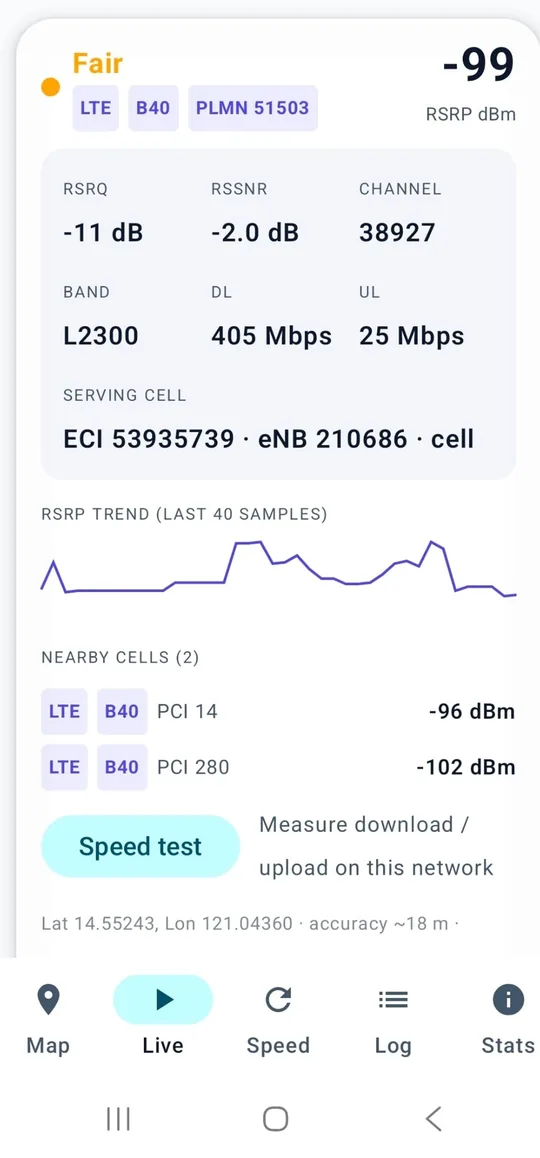
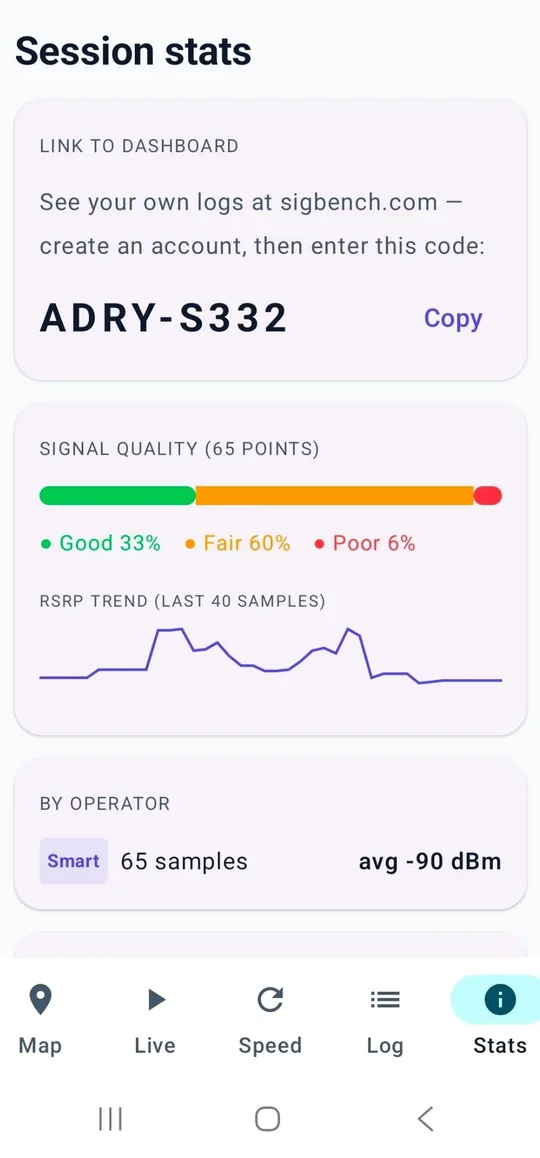
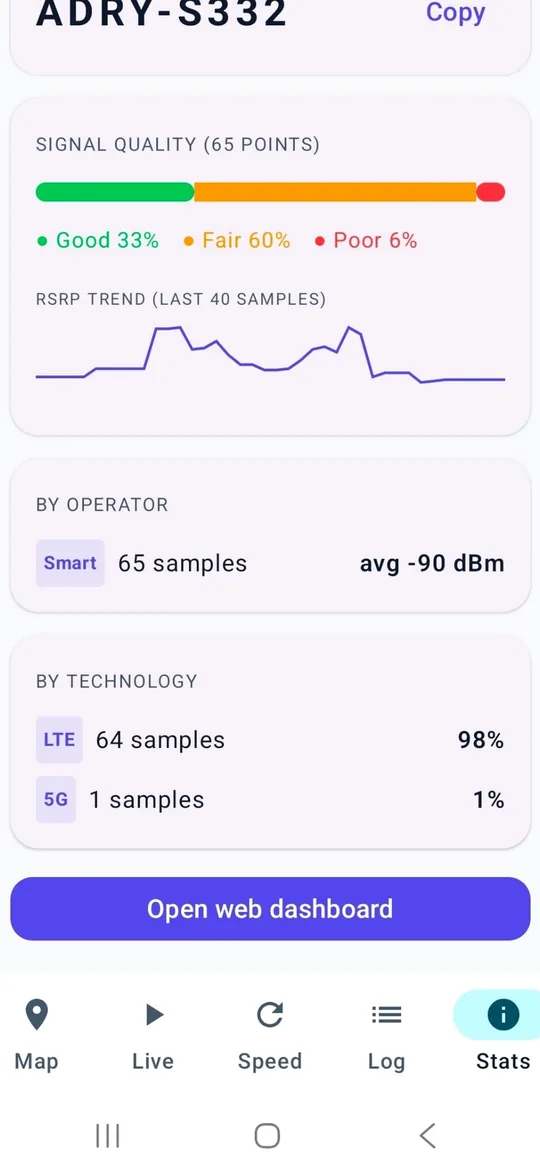
The app quietly samples LTE and 5G signal (RSRP, RSRQ, SINR), serving cells, and optional speed tests — using battery-friendly positioning, no GPS required.

🗺️

Live coverage maps

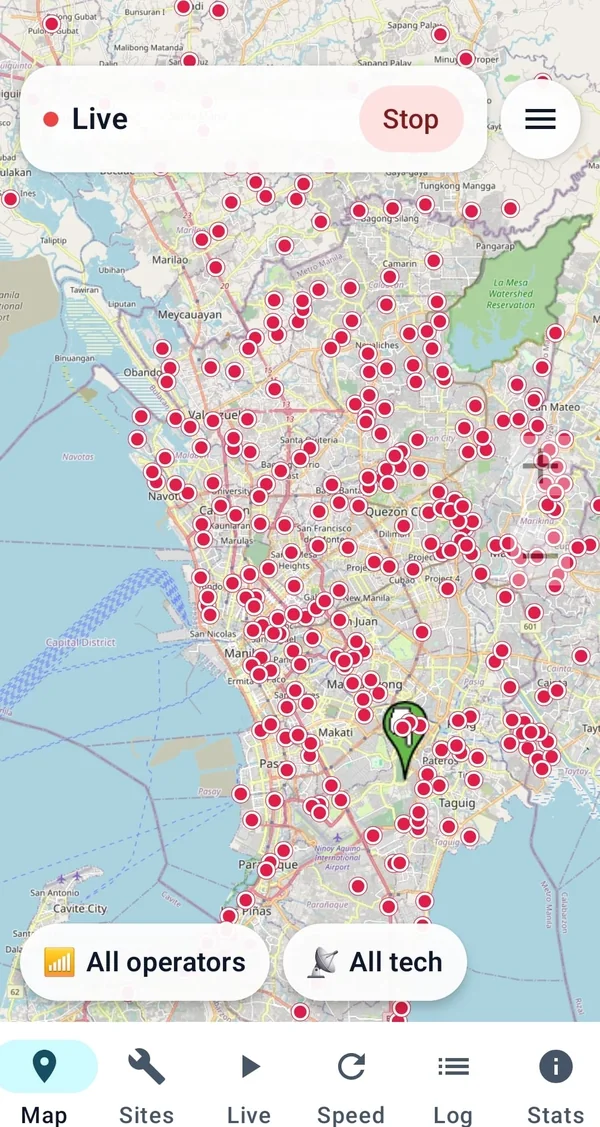
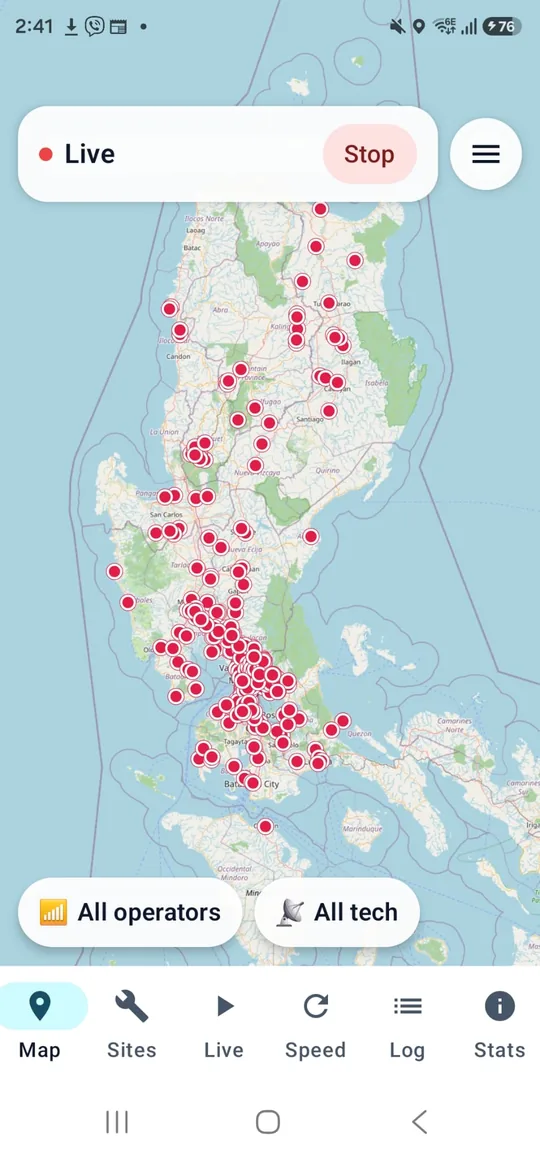
Measurements aggregate into street-level hex maps and operator scorecards — see how every operator really performs where you live and work.

📡

Better networks for everyone

Aggregated insights show where signal is weak and where towers are — evidence operators and tower companies can use to add sites where they matter.

📋

Field surveys on Sites

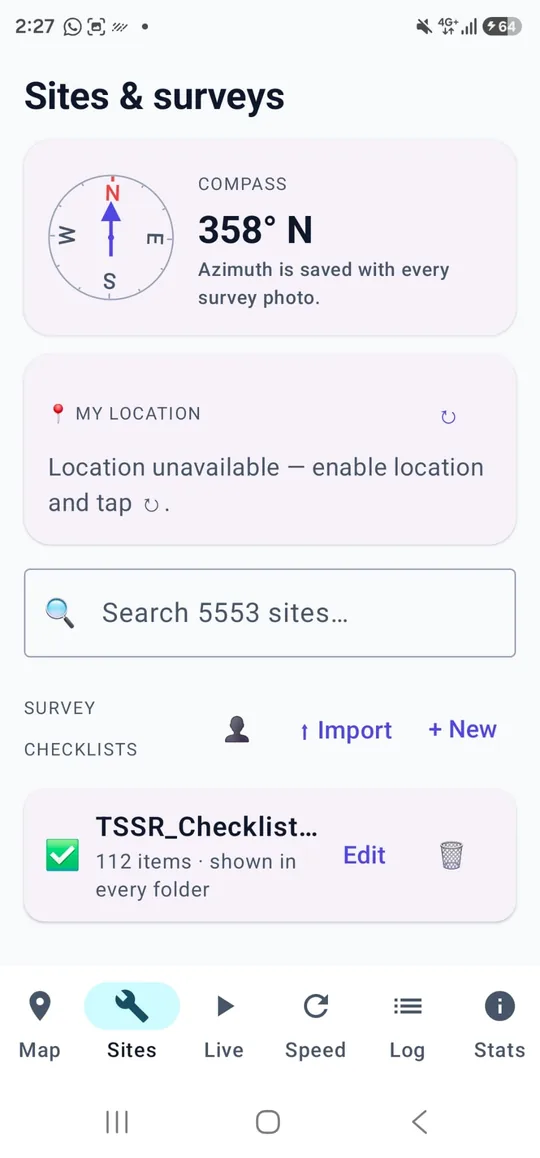
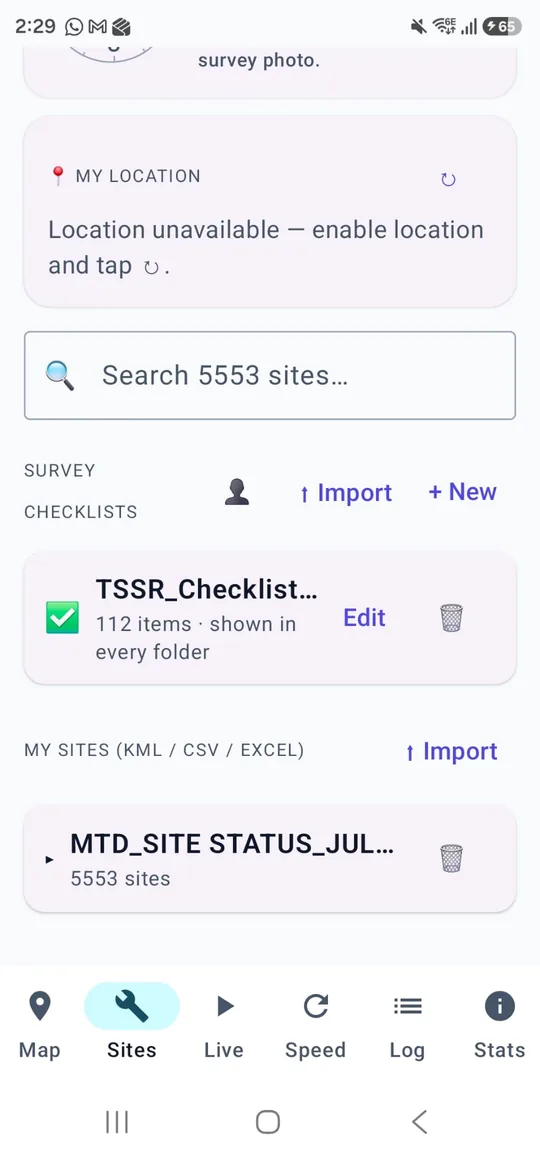
Import KML, CSV, or Excel sites, fill checklists, sketch layouts, take geotagged photos, and export ZIP/PDF reports — stored on your phone for site visits. See the user guide.
MNO benchmarking for field surveyors

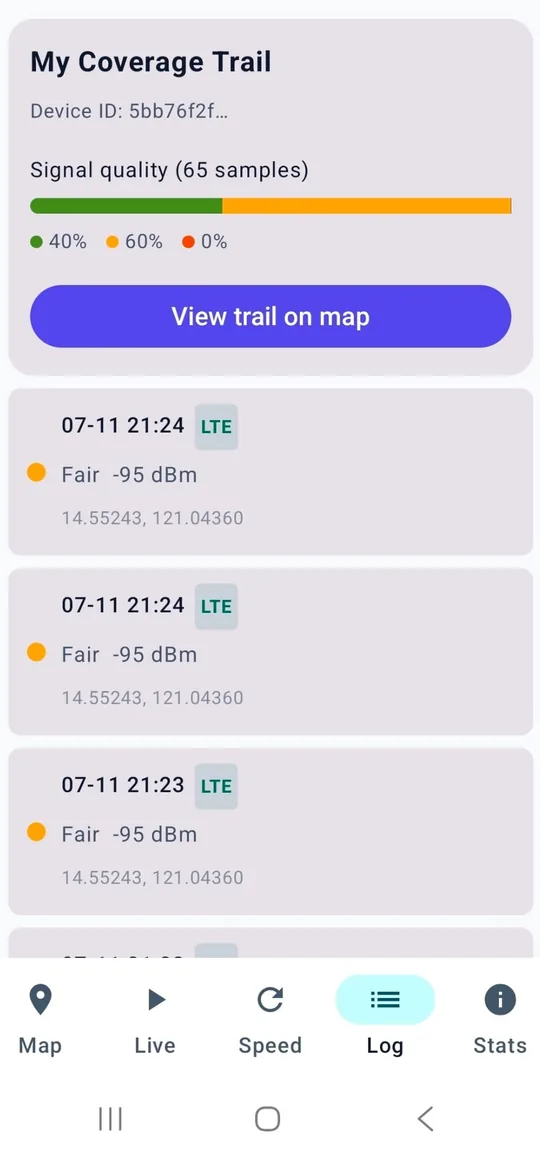
An MNO benchmark is a like-for-like comparison of mobile network operators in the same places: not a marketing claim, but measurements of radio quality and throughput. SigBench is built as an app for MNO benchmark work in the field — walk or drive a route, log LTE/5G, and compare operators on the same map.

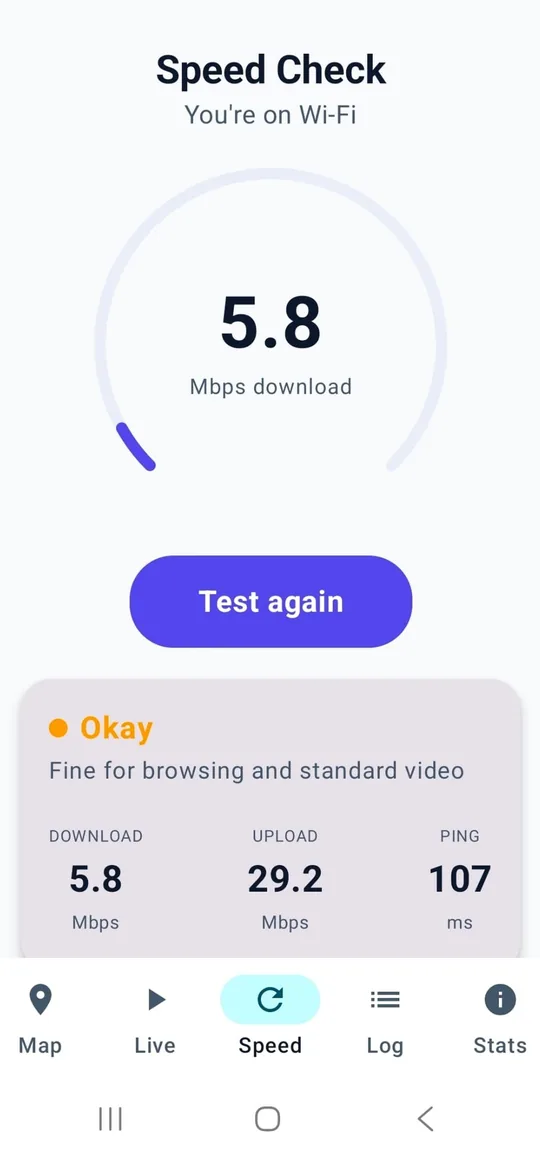
Surveyors, rollout teams, and independent testers use it for MNO quality comparison and MNO quality benchmark scorecards: which operator holds RSRP, who keeps usable RSRQ, and where SINR or speed collapses indoors or at the cell edge. That is LTE benchmarking and 5G benchmarking from the phone you already carry, plus optional cellular speed tests that feed the same operator ranking.

RSRP

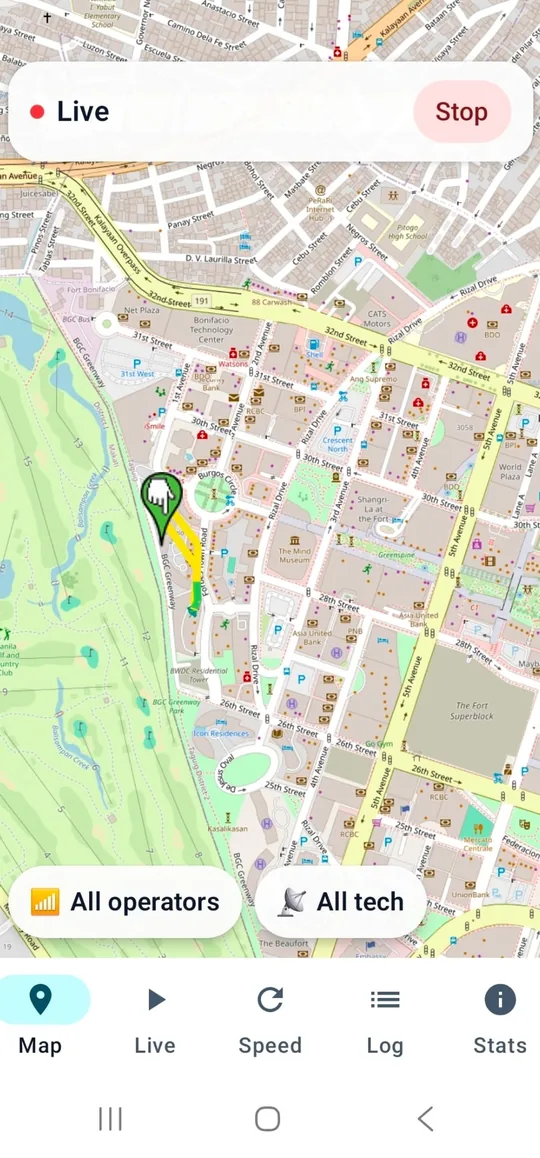
Reference Signal Received Power — how strong the serving LTE/5G cell is at your location. The Map trail is coloured by RSRP as you move.

RSRQ

Reference Signal Received Quality — whether that power is actually usable, or drowned by interference and load from neighbouring cells.

SINR

Signal-to-interference-plus-noise ratio — a practical predictor of whether a link can sustain a decent LTE or 5G data rate.

RF samples upload to the dashboard for country-level MNO ranking (score, RSRP, RSRQ, SINR, download). Checklists, sketches, and photos stay on the device for site-visit reports. Read the full explainer on MNO benchmarking, LTE/5G and RSRP/RSRQ or the user guide for the field workflow.

Your data, handled honestly

What the app collects while logging is on:

  • Radio measurements: signal strength and quality (RSRP/RSRQ/SINR), serving and neighbor cell identifiers, band and operator codes (PLMN).
  • Location of each measurement (network-based or GPS, with its accuracy).
  • Speed test results you run, and basic call quality events (time, duration, drop status — never numbers, contacts, or call content).
  • A random, anonymous install ID — no name, phone number, IMEI, or account is collected.

How it is used: data is aggregated into coverage maps, operator benchmarks, and estimated cell-site locations. Aggregated, non-identifying statistics may be shared with mobile operators and infrastructure companies to improve networks. Raw data is not sold, and logging only happens while you have capture switched on — you can stop anytime and uninstall anytime.

Frequently asked questions

How do I check my RF signal?

Install the free SigBench Android app and start logging — it shows your live LTE/5G RF signal (RSRP, RSRQ and SINR), serving cell and band, and colours your route by signal strength. More on checking your RF signal.

What is network / MNO benchmarking?

A network (or MNO) benchmark is a like-for-like comparison of mobile operators measured in the same places — radio quality (RSRP/RSRQ/SINR) and speed — not marketing claims. See MNO benchmarking.

How do I check my Wi-Fi or broadband speed?

Run the free browser broadband speed test — no app or sign-up — to check your download, upload and latency in seconds.

Is there a telecom site-survey or maintenance checklist?

Yes — import or build telecom checklists, tick items with notes, attach geotagged photos and sketches, and export a Word or PDF report. See telecom checklists.

Does it need GPS, and is it free?

SigBench is free. It uses battery-friendly positioning and works without GPS; no name, number, or account is collected.

Why isn’t SigBench available on iOS?

SigBench is built for Android (Kotlin/Compose). The field RF metrics it logs — RSRP, RSRQ, cell identity, neighbour cells, and related LTE/5G survey data — come from Android telephony APIs. iOS does not expose equivalent radio or cell measurement APIs to third-party App Store apps, so an iPhone port cannot offer the same MNO / LTE / 5G survey features. A native iOS app would be a separate product and still could not match Android radio logging. On iPhone you can run the browser speed test today — no app needed.